
Facebook tracking pixel Revenue System Sprint Services | Conversion System Skip to main content

Audit decides the route

Services for one revenue gap.

We do not ask you to pick a service package. We inspect the buyer path first, then choose the smallest build that can fix the problem.

Sometimes that means clarifying the metric. Sometimes it is follow-up, routing, or a custom data view. If the problem cannot be measured, we do not scope a sprint.

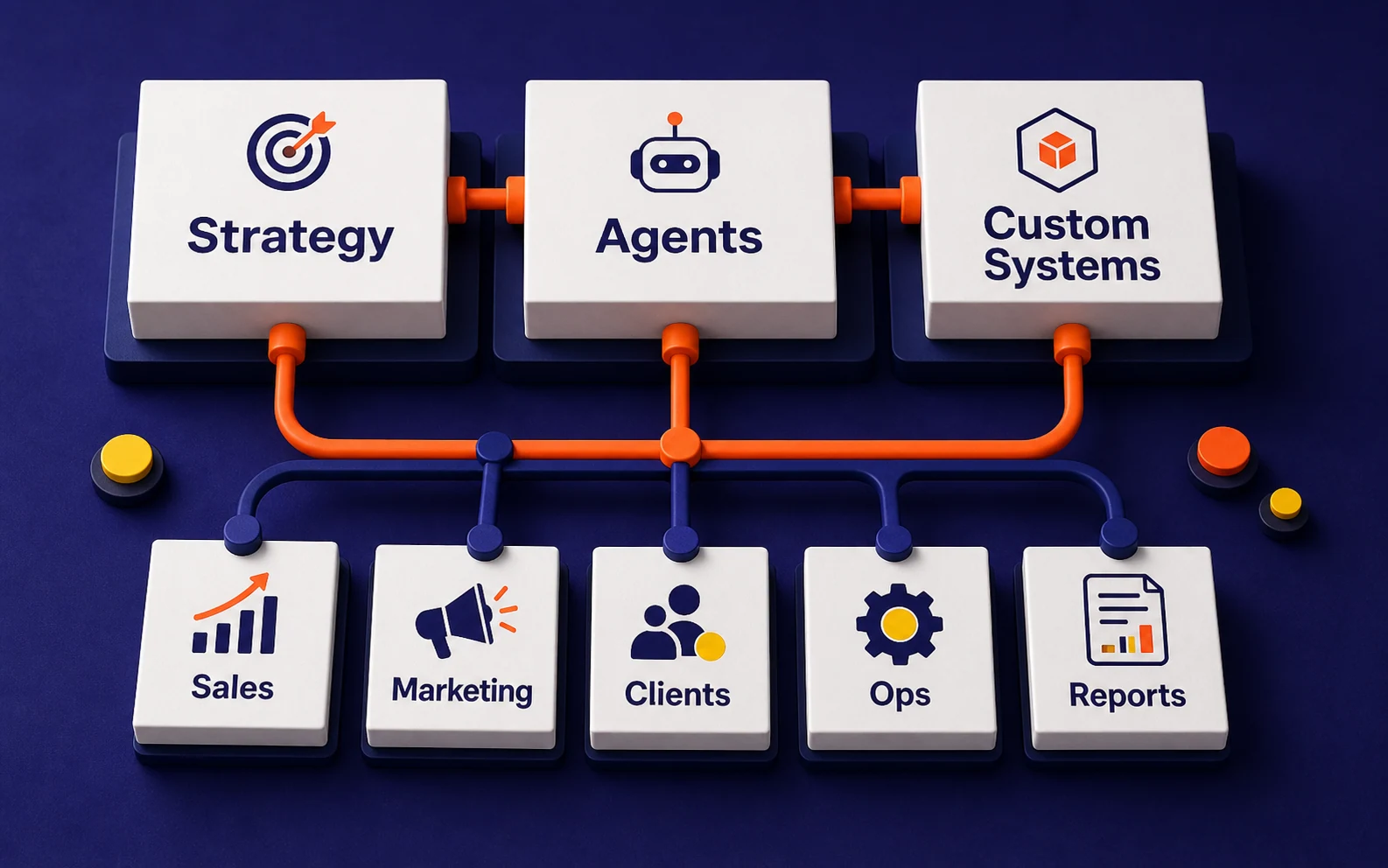
Service routing map showing audit inputs split into strategy, agent, workflow, and dashboard build routes
Service route map

01

Audit names the problem

The page, handoff, lead source, CRM step, or decision that is slowing revenue down.

02

Work follows the evidence

Strategy, agent, workflow, or custom build is chosen after the path is inspected.

03

Build one thing first

One useful system ships before anyone adds a second idea to the pile.

What we build

The problem decides the work.

The service name matters less than the job in front of it. Each option below maps to a common way revenue gets stuck.

Strategy route

No one can name the first move.

Use when the team can feel the gap, but cannot agree on the number or the first move.

Turn the audit findings into one revenue target, one operating constraint, and a build case the team can challenge.

What ships

  • Gap map
  • Metric model
  • Build case
  • Owner list

Do not plan the build until there is a measurable path and a clear owner for the next action.

See AI Strategy

Agent route

Good buyers wait too long.

Use when good buyers wait, repeat questions pile up, or follow-up depends on someone remembering.

Put controlled automation around response, qualification, routing, CRM updates, and human handoff moments.

What ships

  • Response logic
  • Qualification rules
  • CRM updates
  • Human handoff

Keep humans in the loop until the handoff rules are clear.

See AI Agents

Custom build route

The answer is trapped in your data.

Use when your own CRM, transaction, product, or operations data can make the next decision sharper.

Build the workflow, integration, data layer, or dashboard that makes the revenue path visible enough to act on.

What ships

  • Workflow spec
  • Data prep
  • Integration path
  • Dashboard signal

Use a simpler workflow fix when the data is thin or custom work would add weight without improving the decision.

See Custom AI

Route logic

The work is useful only when it touches the stuck step.

If buyers wait too long, another planning document will not fix it. If the team has no shared metric, automation will only move the confusion faster. The work has to match the problem.

Slow first response
Use an agent or workflow that reaches qualified buyers while intent is still warm.
No shared revenue number
Use strategy so the team can agree on the target before anything gets built.
CRM cannot explain the week
Fix fields, events, reporting, and dashboard signal before adding automation.
Data can sharpen decisions
Use custom AI only when owned data makes prioritization, routing, or visibility better.

Readiness

Best when there is real customer motion.

Works best when

  • You have leads, customers, pipeline, or traffic.
  • One metric is clearly worth improving.
  • Someone owns the CRM and sales follow-up.
  • You want shipped systems, not tool demos.

May not help yet

  • No measurable revenue path yet.
  • No owner for implementation.
  • Looking for generic advice only.
  • Want automation before the process is understood.

Next step

Start with the problem, then choose the service.

The Revenue Audit decides whether strategy, agents, a custom workflow, or a simpler repair is the right next move.

Apply for a Revenue Audit